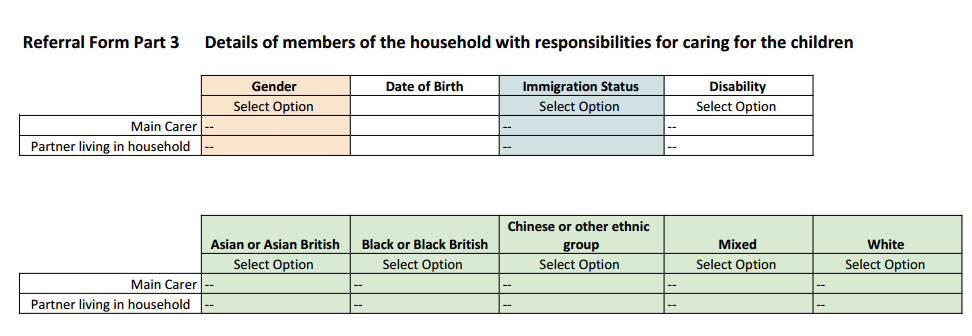
I have been looking at using Google Docs which are a set of online web based applications. Currently you can create forms, spread sheets, presentations and text based documents online. They do not offer everything that is available with MS Office however they offer greater flexibility to website users because you do not need to have MS Office installed on your computer or device.
Following some work on another project I have developed a new low cost framework for Home-Start sites. This is now the 5th generation for Home-Starts from when I started around 5 years ago.
Desktop/ Laptop displaySame site displayed on a phone
Some people do not like the heavy dominance of the orange sidebar in the old Home-Start Lite site template. The new design is cleaner and brighter with more white in the background, and more open than the former design, although the former design is still available if anyone wishes to use it.
This has been built largely because of the demand for low cost responsive websites. It also compliments the premium Home-Start websites I have been building over the summer and autumn period. The premium sites have a lot more work involved in creating them, so I felt it was necessary to continue to provide an entry level solution.
The new template is available to existing Home-Start websites for a single fee starting from £60 (up to ten pages) to swap the templates over and change some of the layout to fit the new style. Your content can be retained in this framework. Higher page counts will be based on £5/ page.
I also upgrade the contact form to a new style of form.
I can also import an old website, even those not built in WordPress to this new framework. Contact me for more details if this is of interest.
In case you are curious there is no Home-Start Seething, this is a demonstration website only for the purposes of displaying this example.
This post is for the more confident editor who is happy experimenting.
Below are two links, they are both the same, however one has a class assigned to it. They both go to the same place, all I have done is added some CSS styling information to it and stored it in the website as a “class”. Now, where ever I use a special instruction associated with a link and assign it the class=”pseudobutton” it will appear as a button that responds to what the user is doing with the mouse or cursor.
It may appear complicated, but taken step by step it is really very simple
CSS
Your website styling is defined in a number of different ways, the most important one is in a style sheet. It can also be defined in the page content itself, here is an example: bold, red and italic, or within the template code for a page. It is normal practice to hold it in one or more stylesheets, this allows you to change the look of your website.
Those of you that have worked through my tutorials will know that one of the points I continuously raise is the importance of scaling images down to a size at or near the resolution of the image in the browser screen.
There is no point downloading a 5MB file where a 50kB file would have done the same job, I am not exaggerating here, it does happen frequently.
I go around and back the sites up 4 times a year and some are getting inexplicably large, so I go in and check and find out there are lots of very large images which have been uploaded to the site. Of course the images all look ok. However if you are out and about and using a mobile connection as many people do these days they are downloading 5MB vs 50kB; 100 x more data than they need to download with no additional benefits. However they are paying per MB for their connection!
In addition to costing your mobile users their data allowance for the privilege of visiting your site, your backups are also growing in size.
But I have found a solution!
Go to your Plugins option on the menu of your site and put into the search box WP Smush. This plugin will go through your images and reduce them in size to something that is more appropriate for a website. It can also be set up to resize anything you upload, just in case you forget.
I have used this on a couple of sites this month to work through lots of images which were too big and taking up too much space in the hosting.
Use something like this and your sites will load more quickly.
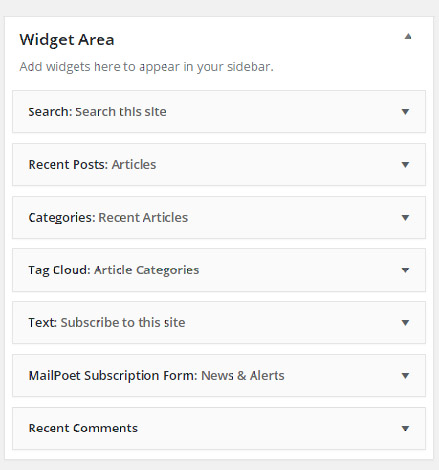
If you go to Appearance and Widgets you come to a page where you can edit the sidebar and footer areas of your website. Note that the footer area may have been removed by me on some sites, and the sidebar may or may not be present depending on the page template in use.
If you have a sidebar visible on your page you can add something to it, or edit it by taking the following steps.
Social Media is really something we all need to embrace, even though there are some groups I work with that do not want to have anything to do with it. Using social media such as Twitter, Facebook and Linked in is very important, particularly in the 3rd sector. It is essentially free marketing if used carefully.
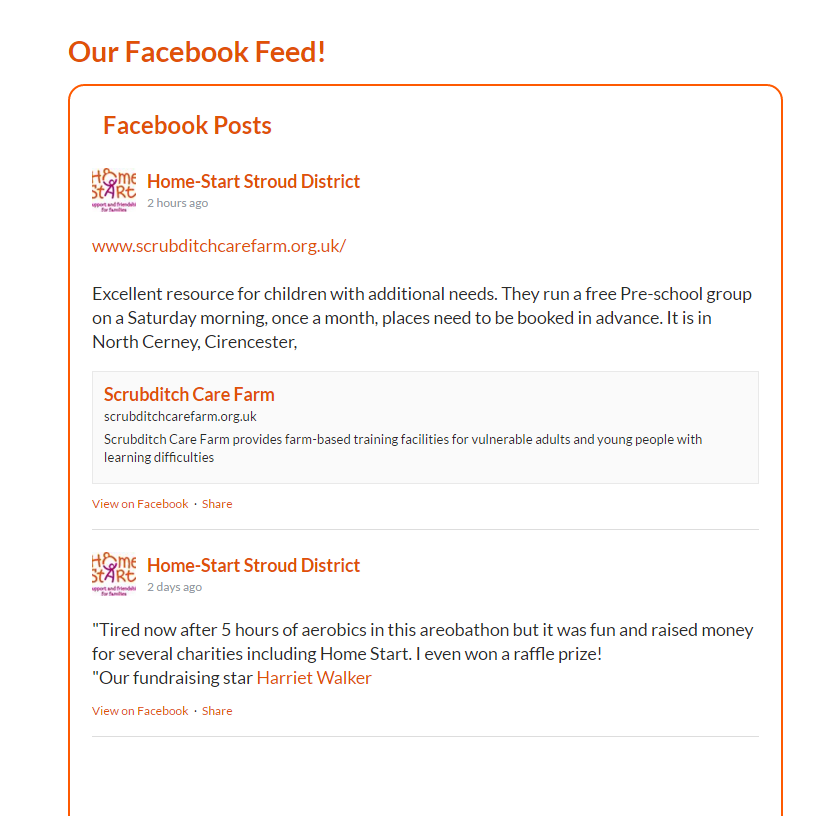
Some groups, for example those with employees or volunteers in their 20’s and 30’s tend to be more proactive driving facebook than their website. Here is a plugin you can add which puts your Facebook stream on your home page.
On several versions of Home-Start regional websites I have displayed a set of logos representing your supporters and sponsors. This is located in the footer (bottom of your site) and present on all pages.
Over the course of this year I have had feedback from various sources that there is a new style of website around that is more aimed at mobile users and optimised as such. This class of website is more dynamic and has a lot more features in than the free ones I generally use. I use free ones to keep the costs of production down.
Over the past year there has been a shift from the traditional desktop fixed computer configuration when accessing the web to mobile users. These changes reflect this.
I have one site that is an archive for around 100 years of photographs. It is a community project and is slowly being built. The site features lots of galleries because this is an efficient way of showing images on a website. It uses a Plugin called Gallery by BestWebSoft. It is perhaps not the most elegant gallery to use, but it is easy to use. In this case I built a multi level site using it just over two years ago so it is not really possible to use a different plugin now.
For those interested in adding a gallery to their website the tutorial below lists the steps in fairly fine detail. I do not cover editing photographs which is part of the process, but I do cover some of things you could do before uploading your images to your website.
I have recently worked with a group that wished to add a timetable for a village hall to their site. It is important to appreciate that where possible you do not want to have multiple data sources containing the same information, and where this is a necessity, then there is only one primary source that everything else is derived from. (The website should not be your primary source for data in case you lose your site!) Continue reading Adding Tables to WordPress




 I have recently worked with a group that wished to add a timetable for a village hall to their site. It is important to appreciate that where possible you do not want to have multiple data sources containing the same information, and where this is a necessity, then there is only one primary source that everything else is derived from. (The website should not be your primary source for data in case you lose your site!)