I am on a permanent quest to find out the magical set of values that will help a website perform more quickly. I have noticed at various times that some websites are quite quick, and the same ones can be slow on other occassions.
I had reason to spend some time over the past month and explore why a site was not particularly quick to find that there are some tweaks that can be added. I was a little surprised about this because the hosting company claims that the hosting is optimised for WordPress. Yet it seems we can do further optimisations as well.
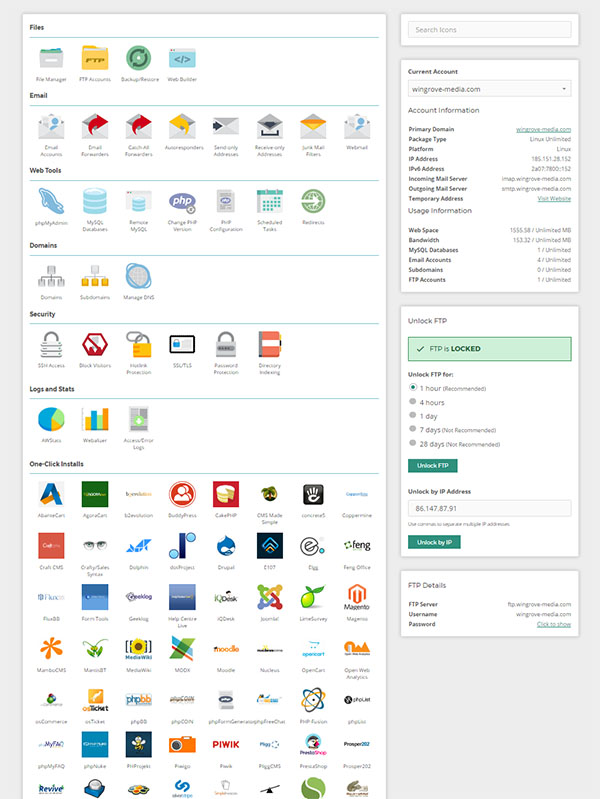
I am going to list them in this post for those of you that have access to the control panel you will be able to make these changes yourselves. If you site is running slowly, it can be for many reasons, but if you are concerned drop me a line and I will check your site out and if appropriate make the following changes.
Memory size
I have noted at various times that the memory in use in a large site has been quite small. No idea why other than it appears to be much smaller than the available memory. In our case in this hosting we can reset the default from 128MB to 512MB. It needs to be done in two places. One is in the wp-config.php file as a directive, and the other place is in the PHP settings.
The additional directive in wp-config.php is:
define( ‘WP_MEMORY_LIMIT’, ‘512M’ );
Number of Vars
All websites and applications use Vars or Variables to store things. In the default case this value is set at 2,500. Many new sites including those based on Divi may have more than this. I found that we can increase this figure to 6000. This can be found in PHP settings.
Output Buffering.
This is set to off by default. It should be turned on. This can be found in PHP settings.
PHP version
Many of the plugins and templates require PHP to be at version 7.3 or above. This is worth checking as when I started we were at verson 5.6. This can be found in the control panel.
CDN Turned on
The hosting we use has recently added a feature called a Content Delivery Network which can be turned on. This will offer cached versions of pages available to people wishing to access your site. This can be found in the control panel.
Web Optimisations
There are settings in the site which can be optimised and are low risk by the click of a button in the hosting. This can be found in the control panel. Use the least risk set of options.
CRON
CRON is a timer that launches functions at certain times. It is a scheduler. WordPress uses a crude type of scheduler triggered by a user or bot visiting the website. That one is called wp-cron, It works most of the time, however on some sites there may be queues of tasks waiting to be completed. This is particularly true if the site is not visited that frequently. There is another catch in the hosting which limits the time available for execution. So if there were five tasks waiting to complete, only one of them may be completed. You can get around this problem by configuring a CRON job in the control panel which is more reliable and will execute whether people are visiting the site or not. It is easy to do. You set this to run every minute. This means tasks do not queue up due to lack of visitors. While I do not profess to know a lot of detail here, I suspect that if the queue gets too long the sites slow down because basic housekeeping functons are not being carried out.
The cron job you need to add (once per minute) is below. Replace the domain name with your domain name.
wget -O/dev/null https://yourwebsite.org.uk/wp-cron.php
 Many of you running charitable organisations will have a dedicated primary email address that you use for incoming, and sometimes outgoing email. Over time this email address becomes “known” to spammers and you start to receive unsolicited email on it.