Did Nominet contact you?

(Date March 23rd 2020)

I have recived several enquiries about messages from Nominet contacting domain name owners telling them that their domain name is about to expire, do they want to renew it?

This applies to anyone using a domain name ending in .uk. First point is if I am looking after your domain name, it will auto renew even if I have not raised an invoice for it yet. So continuity is always assured. The only exception to that is where you have told me that you are moving, or you are closing. 

With regards to the messages from Nominet, if you read them carefully they are not actually for your domain name, but they are genuine messages from Nominet, here is what has happened:

myorganisation.org.uk vs myorganisations.uk

A year ago Nominet started issuing free domain names to anyone that held a .org.uk or .co.uk domain name. These were issued and added to your accounts without your (or my) permission by Nominet; the body which manages these things. I guess it was an initiative for making money, if we had used it, then people would have been coming to your site at the location, and now they would be asking you for money!

The domain name was the same as the start of your current domain name but just ended in .uk  (so no .co.uk or org.uk). 

I never used any of them, but had to go through my master account and set every one of them to auto expire, otherwise I would be charging you for two or more domain names. 

Do I need it?

Short answer is no, you do not, and don’t feel you have to protect your brand by securing it. As things stand all domain names are well established in Google and Bing already. If some third party picks up your equivalent domain name but ending in .uk vs .org.uk or .co.uk and starts pretending to be you, then you can take legal action against them. I have never heard of it happening, but I guess you can never tell. 

If you do want to secure it, let me know very quickly.  
Online Chat App

I have recently come across an online chat feature which you can install on your website(s) and chat with visitors. It does not cost anything and is entirely free. The company that provides it make their money through additional services should you need them such as providing a chat agent for you. If you go for the basic package then it is an excellent way of “being their” virtually for your website visitors.

You don’t have to sit at your computer and wait, you just leave it running in the background, and if someone clicks on the button, then you will get an alert, and they can talk to you using a local instant messenger type interface.

At the time of writing (21/03/2020) I have been using it a couple of days and have installed it on 4 websites and been on two chats in that time.

There is a further way of using this, if you install the app on your smart phone or tablet, you can chat at any time.

Now, I know that this system could be quite intrusive, especially if there was only one person acting as a chat agent. However if you had multiple people, or volunteers on this system, then it could be quite a powerful tool enabling you to continue to provide advice, guidance and support online in these difficult times with Covid-19 prevalent at the moment, and social distancing in place.

How do I install this?

First you need to go to this website: https://tawk.to  and take out an account. All they need is an email address, a name and a password. For first time users they will also ask for a website address where you intend to install the other end of the solution. This is known as a “Property” in their language. You can be signed into more than one.

Somewhere in this process you need to acknowledge an email they will send to the email address you provided to them as a means of verifying you are the right person.  As you work through this check your mailbox for an email from them and acknowledge it. Mine came in quite late in the process. 

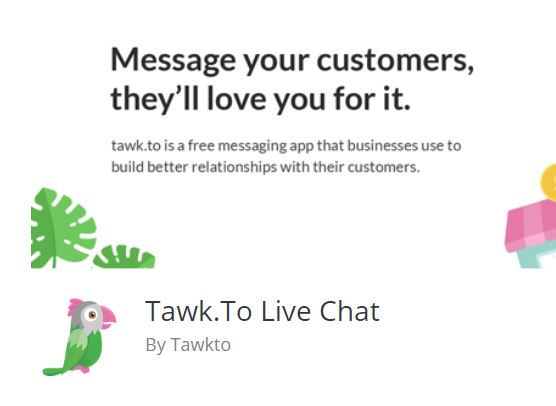
Login to your website and go to the Plugins option. Click on add new and search for Tawk.to  you will find there is more than one. The one you need looks a bit like this:

You can follow this link to find out about the plugin: https://en-gb.wordpress.org/plugins/tawkto-live-chat/ When you have located it in your plugins selection, install it. Then activate it. Once activated there is an option to access settings. All it needs to know is your account name and password. (Email address and password you used on the main Tawk.to website) and you will need to select the website you are using as well in a box for the settings.

Once enabled, switch your view so you are looking at the live website rather than the dashboard.  You will see there is a message in the bottom right of your website. If you are online and logged into the tawk.to website and have their dashboard running in another browser window, anyone visiting your site can chat to you.

Extending the service

Being dependent on one person is going to be a bit of a drag, and if it comes to that, they will disengage. From a practical standpoint, you can leave this running in the background on a computer (or smartphone / tablet) do something else, and only engage when there is someone to chat too. That may or may not be convenient.  However you could invite volunteers to be your chat agents. If there was a group of people, willing to be online as a pool of resources on your behalf, you are more likely to be successful with this system.

Anyway if you are even remotely interested, it is worth taking a look. With everyone socially isolating currently this would be a useful tool to continue a service remotely, even if it is at 15% of what you were doing before, that will be a huge help to those that have no help whatsoever, and are now feeling more isolated than ever.

Online 24 x 7

Not necessarily recommended for just one person, but it is possible to put the Tawk.to app on your smart phone or tablet and be logged in 24 x 7. So you do not need to be sitting in front of, or near a computer all of the time.

Interested but not sure what to do?

Drop me a line and I will get you set up on it.


Coronavirus and working remotely

Right now it is worth considering if you had to work remotely, could you access your email and other systems? It is likely at some point in the near future, if the virus takes hold people may be asked to work from home. Now might be a good idea to give that some consideration. 

The following is specifically for those people that access their website and email through my hosting. However it applies to anyone. Some of you I know use Outlook 365 too.  What might you need to effectively work from home, and where do you get it from?

Communications

Email

Most email systems offer an online version through a browser as well as through an application like Outlook. The first things you need to know is how to access these systems from a remote location. If your organisation has assigned a laptop, then it is easy, just hook up to the internet at your new location. But if you have a desktop you are probably not going to take that away from the office.  To access your email on a different system you need to know the portal or web address for email.  For the websites I have built, if you are using the email systems I provide then just go to your website and look in the footer, you will find a link there to webmail.  Go there, then you need to enter your full email address and your account password.  This will give you access to the same account you used on your office computer.  

Other considerations

The email accounts I provide are all 10GB in size. With such a large inbox, you can create folders and move important email into the folders. If you do that on your desktop, those folders are also created on the server if your email is set up as an IMAP account (this was the recommendation I made when issuing instructions). It means the folders you set up are visible on all devices that connect to the same mailbox.  If you know you are going to be out of the office, set up a folder and write yourself a few emails with important info on such as:

  • IT support person and telephone number
  • Colleagues email addresses, telephone numbers
  • Important documents
  • Whatsapp Group (good idea to set that up now). 
  • Key procedures if those are not available online

Think about what you take for granted today because it is to hand. Save a copy locally in your email. 

Website

Is your login tied to your browser at work? If it is then you may have difficulty logging in from home. Passwords can be recovered from WordPress websites provided you have access to the email account tied to your login. Make sure you know these three things:

  • Your user name in the wordpress website
  • The email address which is tied to your account
  • Optionally keep a copy of your password discretely without noting in the file name or content what it is for. You do not need to do that if you can access your email account.  Because you use your email account to recover your password. 

GDPR

Don’t forget about GDPR and your responsibility to keep confidential and personal information safe. This aspect is also worth considering before a crisis forces everyone to work remotely. While in the office you are within a controlled environment. When you are working from home, particularly if the data you are accessing is no longer on the organisation’s equipment, additional care will need to be taken to keep the information secure.  An annex to whatever policy is in force to cover such circumstances might be worth considering including the responsibilities of employees and volunteers.  Once we are the other side of coronavirus all of the data which may may have been more distributed than normal needs to be brought back under local control.  

Portable Drives

While it may be possible to use Cloud based storage, or even remote access to the usual data you access at work, you could also consider portable hard disk drives or USB memory sticks. If you use these make sure they are encrypted. If a drive or file is encrypted then if it falls into the wrong hands it will be virtually impossible to decrypt. 

Make sure a nominated person is issuing passwords, and these are recorded somewhere centrally and securely with access provided to the chair or another backup responsible person. This ensures you do not get locked out of your own systems. 

Remote Access

For any remote access to your systems make sure the passwords are changed regularly, and you know who has access. Personally I find the idea of having a backdoor into a system dangerous. But they are frequently used, and often left open, particulary where you have a remote IT support person. Make sure you have a policy where access can be turned on and off when required, passwords and user combinations are under very tight control, and used on a need to know basis.  You should be in control, not your external IT support company. Your organisation is ultimately responsible for the safeguarding of your data. 

Coronavirus Guidance

I am sure we are all going to be fed up of hearing guidance on Coronavirus over the course of the next three months. However it is important to disseminate information relating to it to make sure the message gets to everyone, and where possible the virus is contained.

I had two requests in one day to incorporate guidance on Coronavirus on two different websites. I have adapted content from three sources: NHS, Government and AgeUK (who also used the same NHS and Gov sources ).  Guidance may well change of course. Right now 11/03/20 it is up to date.

An example can be found here:  https://homestartbarnet.org/coronavirus-advice/ I can package that up and add it to your site very quickly if it is a Divi website. Contact me if you would like it adding to your site. The only caveat is once I add it, you will need to keep it up to date. But it will at least get you started.

Contact me for help.


Custom Header and Footer

The Divi Template has had a few additional features added over the past few months. One quite important one is the ability to add a customised header, footer and content area. These are defined centrally. In fact multiple different headers and footers can be defined and applied to specific groups or pages or posts. I have started experimenting in this area on some of the new sites.

Application for Home-Start

I have received a few requests from Home-Starts (I host 34 of them) asking me to add a donate button to pages. I have in the past added this in as a separate block within pages. Now there is an alternative way of doing this.

As of 12/2/20 I have one design available. I am open to modifications to it, however there are certain rules that need to be observed in the way it behaves.

There are actually three headers, one for large screens, one for tablets and one for smart phones. They are all different. The desktop and tablet versions show the Donate (and Get Help) buttons.  There is also a sticky menu available when the user scrolls down the screen. This “sticks” the menu to the top of the screen.

Please note these are all scaled to fit the page. Click on the desktop version to see it full size.

The images below are scaled. Please click on them to see them full size.

1). Wide Screen Version

2) Tablet Version

3) Smart Phone Header

I have not installed one of these on a site yet. If you are interested in this please contact me. 

Questionable Advice?

I have had several requests over the past two months to add “DONATE NOW” buttons onto all pages on a website. One request in particular came via a voluntary advisor which seemed totally flawed to me. However I can appreciate that most of you are dependent on “external voluntary experts” of which I guess, I fall into that category too.  So here is my take on it, like all gifts, you can choose to accept it or not. It is just an opinion. 

When you look around the web, particularly on charity sites you tend to see the Donate buttons plastered everywhere. The advice given to my client was to add a link under the button which goes directly to a preferred fundraising portal. Say for example Virgin Money Giving. That sort of sounds ok, but I disagree, for several reasons:

1). Let us assume I have arrived on your website, I am not that familiar with it, I have looked around and now I wish to make a donation to help you. So I click on the Donate Now! button. What happens?

It takes me to a completely different website, it may have your logo there, but it has someone elses logo there too, I am not sure if this is a scam or not, so I leave. Did you get your donation? No. 

There is a web standard called WCAG2.1 which states that a link that opens in a new window, or takes the person off of the website needs additional text to advise the user before they click. Think of it as a best practice. You cannot do that here. Let us look at another case:

2). I am familiar with your organisation, I have visited several times, and I can read (!). I want to make a donation. If I want to make a donation, which page would I go to?  Chances are you have a Fundraising page at the top of your menu. That is where I would go. I did not need a button plastered everywhere.  

The Donate Now button is not dissimilar to someone on the street asking you for money; they have not established a compelling case why you should give them money, but they are asking anyway. Chances are most people will ignore it. 

It is much smarter to sprinkle Donate Now buttons within the content on your site AFTER you have just made a case for why it might be a good idea to donate. It is more subtle, less “in yer face”. While I have no firm evidence to support this, I suspect it will be more successful than the former method which has the subtely of a sledgehammer. 


If you must, do it this way…

If you must put a Donate Now button everywhere, it should really link to the fundraising page, or the page in your website which lists the various methods of raising funds. In this way the user is still on your website. So within the page you can explain that by clicking on a link or icon on this page you will be sent to the fundraising partner page, specifically to your account on that page, and it will open in a new window. 

By doing it this way, you conform to best practices in WCAG2.1, and you are holding the hand of the donor and reassuring them as you take them to the appropriate website. 

I personally would be more likely to donate that way rather than the sledgehammer approach. 

Why the sledgehammer approach…

I am being disingenuous really, I don’t think people really mean to use the sledgehammer approach, but I think there is a reason why they propose to do it this way. Fundamentally the person making the recommendation is making an assumption: they love your charity, everything about what you do, and as such they are already bought into the value you provide. So in their case you do not need to engage into a sales pitch, they are already sold. So the button is all they need. Well that is fine for them.

But your adviser is not your average donor!

However the people you are hoping to donate to your organisation are not bought in yet, so you have to do that as a separate activity. Taking them to the fundraising page first is vitally important. Of even greater importance, sprinkle those donate now buttons within your content, say after a moving testimonial from one of your clients, or a case study. I think you will have much greater traction with your market. 

Do you have a Social Media Editor?

From a marketing angle, you may consider social media to be very important to your organisation, and it is of course. However it is a bit like preaching to the converted if you think about it. It is not likely someone will find you on social media unless they already know about you. So that means the audience you are sharing your social media stories with are already fans and followers. It is a way of keeping in touch.

Many organisations I work with have strong social media presence, but not such a strong presence in the news on the website. Is this a problem?  Well yes, I think it might be. Here’s why:

Do you want more people, or the same people?

Ask a marketing professional and they will always want more people exposed to a story or message. Particularly that group that is not currently engaged with the organisation. Within that group might be future; donors, contributors, volunteers, members etc. That is really what is important. Of course you do not ignore those people that have signed up or following you already. We are talking about a superset of people, not just regular engaged fans.

Work smarter not harder

So, let’s be clear here, this takes a little more effort, but over time it will be much less effort, and you will reach far more more people.

Without exception, if I look at the statistics of those sites that have a rich and varied news feed, they also have high numbers of visitors. There are some technical reasons for this in terms of how the website works. But let’s keep this simple.

Here is a new strategy

Get your social media guru to add things to the website first. Do what they were intending to do in a post on your website rather than Facebook, Twitter or Instagram.

That in itself gives you an advantage over twitter because you are not restricted on your content.  When you have added the item to your website post. Display the post in isolation from the news page. (When you view it on the news page with other posts, you need to click the image, title or read more link to open it). Now copy the URL or web address for the item in your website.

Next go to Twiter, and paste it there. Then go to Facebook and paste it there. Both systems will try to grab something from your website. So you don’t have to rebuild it all in Facebook, Twitter et al.

Now you have met the requirement to keep your fan base in touch with what is going on. However it will also drive up your website visitors as a result. For those people that happen to come across you while surfing the web, they can see it too. They would have missed it before if it is exclusively on social media. 

Check your results

Most of you have a Google Analytics panel on your dashboards, you can see and monitor the results of this change if wish. The net result in terms of effort, is you create it in one place only (your website) and do not need to recreate it any where else.  Everywhere else including feeds you simply add to, you just paste the URL. When you do this, you will see a big spike on the number of visitors to your website. Many of those will be first time visitors. Some of those will also become fans too. 


Alternative Home-Start Menu

Clikc on the image to see a larger version. 

I have just completed my 30th Home-Start rebranding project for Home-Start North Somerset.  While engaged on this excersise and looking around at some other sites I found a way to remove the normal menu system and substitute it with a customised one. I am still working on this, and it is not as simple as throwing something together because it has to cater for different screen widths. 

I have had a few requests for donation buttons, and have generally placed them in a section below the menu at the page level.  However if you are interested in this solution I would like to know if it is worth pursuing. Right not it is incomplete, I have developed a desktop version (as per the image above) a tablet version which is smaller and simpler, and just started a smart phone version. I think there is a substantial amount of work to refine it, so I am shelving it for now. 

The three new header sections (desktop, tablet and smartphone) are tied to the top of the page and scroll off of the screen. One problem I need to solve is how to keep the menu at the top of the page using this process, or substitute another one when the user scrolls down the site. 

Anyway, if you would like to know more, drop me a line please. If I have enough interest I will provide this for free to all of those people I have upgraded over the past 8 months. 

Domain Name Scam

I received the message below this morning. It is a scam, I have seen them before, but it is easy to be caught out.  You may receive one of these around the time your domain name is up for renewal. It is possible for  a third party to find out when your domain name is due to be renewed, and therefore generate this email. An unsuspecting person might assume it is to do with the domain name, and was expecting a bill. If you see anything like this and you are not sure send it to me. 

Taking it apart

When you first look at this you can see it is related to a domain name, it is something for accounts payable, and there is a line in there which says “This notice for www.domainname.com will be terminated on December 14th 2019.” At this point you may be feeling anxious. 

Looking more closely it is a proposal to add your domain name to a search engine, or “search engine registration” something I do for you for free, and only takes a few minutes anyway.  There is also the veiled threat that “……. cancellation of this proposal making it difficult for your customers to find you on the web”.

Other things to watch out for

The telephone number is a random set of characters, the link to their website is obfuscated. So you cannot tell exactly where it is going to unless you click on it. If you click on it, you do not know what will happen. At best it is someone fronting a dodgy scam that is probably not illegal, but is highly questionable designed to catch people out. With those types of links they forward to another link, but register that someone has clicked it. 

Don’t Panic

Call me, or send me a copy if you receive something like this. Other common scams are from people allegedly offering to sell you more traffic. On the basis that more traffic will yield more contacts. Chatty emails that say “Hi, I have just been looking at your website, you should be getting more traffic, I can help you…….”   No third party can know how much traffic you get without access to the hosting, or to a Google Analytics account. These are scams too. 

Looking around sites some seem to be targetted more than others, and depending when you look, they may get tired of one site and switch to somewhere else. While we can detect and stop computers posting spam on sites, there is no fix for people posting messages through forms or contacting people directly. Only where the message is a common message and it has been detected as spam, and provided you are using spam filtering will it get caught. 

I have looked at the originating IP address of many of these messages in the past. A lot of them come from India and the Philippines. Both places where people can be exploited for a few dollars a day.


Wingrove-Services
Privacy Overview

This website uses cookies so that we can provide you with the best user experience possible. Cookie information is stored in your browser and performs functions such as recognising you when you return to our website and helping our team to understand which sections of the website you find most interesting and useful.

You can adjust all of your cookie settings by navigating the tabs on the left hand side.

My privacy policy can be located here: Wingrove Media Privacy Policy (opens in a new window)

My Cookies Policy can be found here: Wingrove Media Cookies Policy (opens in a new window)