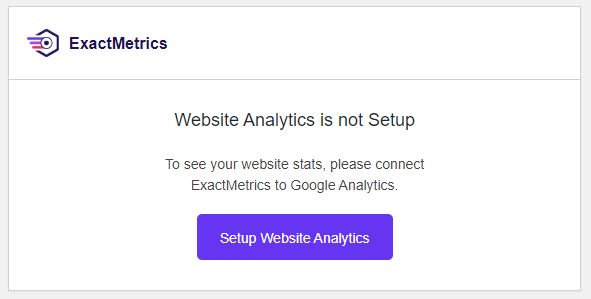
On many websites I have previously installed a plugin called GADWP which allows you to view Google Analytics data within your dashboard. It is a very useful plugin which once set up provides an instant insight into the performance of your site and how many people are reaching it.
But…..
All good things come to an end. It looks like the author of the GADWP plugin sold it to a company called Exact Metrics. I suppose they were purchasing a very large base of registered users. It does happen from time to time. It is a relatively quick way of reaching a lot of people who share a common interest. Exact Metrics look as though they want to monetize the GADWP plugin, there is nothing wrong with that, however what they appear to have done is removed a lot of the free functionality and now charge a fee. When I first came across this, I set up the new version which replaces GADWP and registered on their site. However all of things I could do before (which btw are free anyway within the Google Analytics account) I now have to pay for. Which is a shame. I think their installed base has shrunk considerably. As you are all charities or not for profit organisations, I know that this is functionality you would not be willing to pay for. I certainly would not either when it is already free.
But there is another but……
It appears that the original author, or at least the original code is available under a new plugin called GAinWP. While going around websites I have been removing the Exact Metrics plugin, replacing it with GAinWP. It works in the same way as the old plugin and gives some very simple views into the Google Analytics Data.
If you want to see Google Analytics data on your site dashboard and have the Exact Metrics panel there now, please do the following:
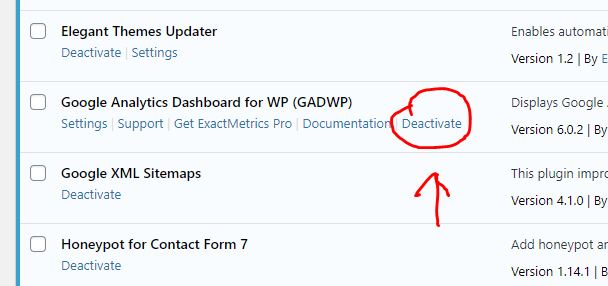
Go to the Plugins page. Locate GADWP and deactivate it. On the next screen choose other, then deactivate it. This will return you to the plugins page, click on delete to remove the plugin from the installation.
Next, at the top of your plugins page you have an “add new button”. Click on that. In the search box enter GAinWP. You will see two things come up. One is the plugin you are looking for, the other you can ignore. Click on Install Now.
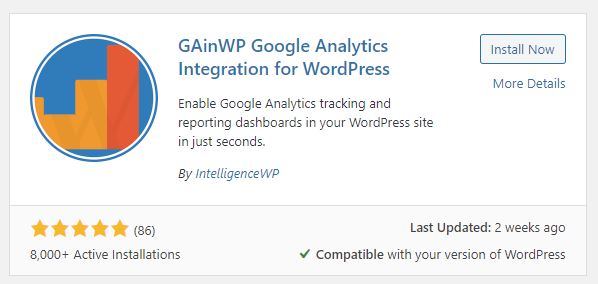
Click on install now. Once it has installed, activate it. If you have independent access to your Google Analytics account for your website you can enable it yourself. If you are not sure, drop me a line and tell me you have installed it, and confirm your website and I will get it back up and running.