Use your domain name for your email

Many of the charities I work with continue to use their broadband service provider email account, rather than an email account associated with the website they have just acquired.

For example if I created a website for www.mycoolcharity.org.uk then email accounts can be created for xxxx@mycoolcharity.org.uk. Then your mail is tied to your domain name.

Many however stick with xxxxx@btconnect.com, or yyyy@talktalk.net because these are the mail accounts they have always used.

Maintaining legacy accounts

Generally I recommend going through a transition period where mail from the old and new accounts run in parallel. You reply from the new email address and over time you will find your “real traffic” will migrate to the new email address as well. The only thing that is left on the old address is junk mail. …. and who wants to keep junk mail! Continue reading Use your domain name for your email
Email issues: When Forwarding does not work

The following is a bit technical, but bear with me. It is useful to understand how some of the mail protection policies work and the impact they may have on your mail in some circumstances. 

I have a large number of email accounts, I don’t tend to check them all, but consolidate them by setting up forwarding. So any mail coming into say myname@somedomain.co.uk is forwarded to myname@someotherdomain.co.uk. Then I only need to check one email account at “someotherdomain.co.uk“.

Up until a few weeks ago, I had this working ok within a single hosting company. I made some changes when a second hosting company came on line, and moved one of my accounts to hosting company #2. Then I started to see problems.

I am using a forwarder in one of my hosting accounts. This may be relevant to you if you are using forwarders in your hosting. I generally set up one to handle messages posted to your site. These are generally handled through a mail account called info@yourdomain.org.uk which may then be passed to your normal administrative email account which could be xxxx@btconnect.com or another service provider email.  Continue reading Email issues: When Forwarding does not work

Spam, Spam, Spam

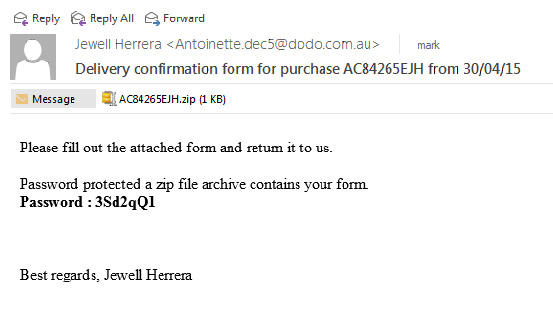
From time to time I get asked the question whether the website is broken because a strange message has come in from a contact form.

Invariably they contain links to somewhere else, usually obfiscated links so you cannot tell where they will go, without going there. They also have completely random text, sometimes just random sequences of characters, and sometimes a passage of text which has no bearing to the function or purpose of the charity website. The text is added to try to get around various spam detection mechanisms.

Why do we get them?

They are sent through comment boxes and forms, and often get around form checking methods. The reason they are being posted on your site is because the settings on your site may instantly publish it. If that happens then the person responsible for sending it have just got some free advertising through your website. Some sites automatically publish comments or form content.  In your case this is deliberately disabled when I publish your site.

here is one example you may have seen: Continue reading Spam, Spam, Spam

Asking your visitors to comment on your site

I completed a Home-Start site this week for Home-Start Bracknell Forest. One of the requests for content was quite unusual compared to the 100+ other charity sites that I have built over the past 3 years.

This group had an old site that I replaced. I was asked to add a feedback page, so they could gather comments from those people that came past the website on their views about the website.

I have used a function that is built into all WordPress websites where you can invite comments on articles (posts and pages). I have turned it on at the bottom of this page so you can see an example and make a comment. You can do this on your site as well (and turn it off again).  But you need to be aware of what might happen.

Catering for the Bots

A growing problem is Form Blasting. This seems to be a relatively new tool in the world of the hackers and fringe groups who use computers to post adverts and links into forms. I have seen several examples over the past month where those that use Form Blasting advertise the fact in one of the forms that is submitted from your website. You pay say £150 and they will place your advert for knock off Gucci bags on 10,000 websites. Continue reading Asking your visitors to comment on your site

Wingrove-Services
Privacy Overview

This website uses cookies so that we can provide you with the best user experience possible. Cookie information is stored in your browser and performs functions such as recognising you when you return to our website and helping our team to understand which sections of the website you find most interesting and useful.

You can adjust all of your cookie settings by navigating the tabs on the left hand side.

My privacy policy can be located here: Wingrove Media Privacy Policy (opens in a new window)

My Cookies Policy can be found here: Wingrove Media Cookies Policy (opens in a new window)