Category: Security
Changes in WordPress
Some of my videos are now out of date following some changes made by the WordPress development team in the latest version of WordPress.
All of the sites I have built should update themselves to the latest version. There are one or two exceptions where I have a template that has not been upgraded, but for the rest of you, you should be on the latest version now.
The key changes that I have noticed are listed below. They are all improvements on the way WordPress works, so do check them out.
Password changes
You used to have to create your own password in WordPress. This was a weakness because people could enter password123. (Which is obviously a weak password!). One of the plugins I use forced any new passwords to be strong, which got around the problem. WordPress has gone a step further.
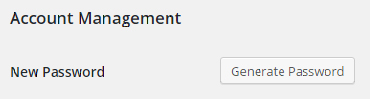
If you wish to change your password you now get a screen like the one below.
Russian Hackers
Heightened hacker activity over the past month
I get many security messages from the sites I look after each day. Every two weeks I get a summary from one of the plugins I use called Wordfence. Below is typical of what I receive every two weeks. In this example it shows 634 attempts by some folks in Russia who have tried to get into this site by guessing passwords. You may recall I tend to keep emphasizing the importance of strong passwords. This illustrates the point. Much of the activity below was automated, if not all of it. But be assured it is happening 24×7. By the time I have blocked these addresses, they will be popping up again on new addresses. So the best defence is to use a tough password.
Example email
This email was sent from your website http://xxxxxxxxxxx.org.uk and is a summary of security related activity that Wordfence monitors for the period July 13, 2015 to July 27, 2015.
Protected: Hackers at the door
Who owns your domain name?
I am not trying to be alarmist here, be assured that despite reading this below; if I set up your domain name for your organisation then you own it. However problems can occur, so I have several examples I have given below to illustrate them, and what happened as a result.
The following article largely applies to .co.uk and .org.uk domain names. I have had direct experience in these cases, ICANN controls other domain names like .com. They will have similar processes in place.
It is possible to look up your domain name using a “whois” service. For .org.uk and .co.uk, these are managed by Nominet. You can go to this page, enter your domain name and see what is recorded about it.
http://www.nominet.org.uk/whois
I generally take out domain names for new clients using one of two accounts. The majority are held with my registrar uk2.net, and I am the registrant. Because I have an account with uk2.net my details are automatically entered against the domain names. However I can edit some of the fields on request.
Why is this important?
The person that holds your domain name, also controls where DNS is located, this is the service that connects a user looking for www.mysite.co.uk to the right web server. It also affects mail as well. So in the wrong hands, you can end up in trouble if you are not careful. Your mail could suddenly turn off along with your website.
Case 1: The registrant passes away
While replacing and moving an existing site I needed access to the domain name. Continue reading Who owns your domain name?
Hotmail, Gmail or Yahoo email user?
If you have most of your email transactions going through a hotmail, gmail (google mail) or Yahoo email account then you need to read this!
Many of the organisations I work with use their domain name as the primary email account. Some use their Broadband Service Provider’s domain name, and some others use Hotmail, Gmail and Yahoo.
Whatever you use, have a backup email account. Here is what has happened to one organisation I have been helping this month. As a result of this they have lost their primary email address for at least a month.
Help I am stuck in Ukraine!
I received a message like the one below, I have seen these before, I have removed the email address in this case. Continue reading Hotmail, Gmail or Yahoo email user?
They know you know!
I recently acquired an Apple Mac Book and have been learning how to use it. They are renowned for their ease of use. I have several email accounts, and these are accessed by multiple windows platforms, Apple mobile devices and the new Mac Book.
For some time now I have received a form of junk mail that comes from the same source (but through different hosting companies), and in multiple flavours. I know this because the structure of the mail is highly predictable. I can receive 10-20 of them in a day, and they tend to come in a burst from apparently different sources. They all feature an unsubscribe link, which, as I have never subscribed to any of them, it is hoping I will click on it. But I don’t.
Why not?
Spam, Spam, Spam
From time to time I get asked the question whether the website is broken because a strange message has come in from a contact form.
Invariably they contain links to somewhere else, usually obfiscated links so you cannot tell where they will go, without going there. They also have completely random text, sometimes just random sequences of characters, and sometimes a passage of text which has no bearing to the function or purpose of the charity website. The text is added to try to get around various spam detection mechanisms.
Why do we get them?
They are sent through comment boxes and forms, and often get around form checking methods. The reason they are being posted on your site is because the settings on your site may instantly publish it. If that happens then the person responsible for sending it have just got some free advertising through your website. Some sites automatically publish comments or form content. In your case this is deliberately disabled when I publish your site.
here is one example you may have seen: Continue reading Spam, Spam, Spam
Protected: Two Factor Login
Cloud Based file sharing
I am sure everyone has heard of the “Cloud”, it basically means somewhere on the Internet, without being specific. Of course we all place our trust in this and anticipate that “somewhere” is safe and secure.
A Home-Start regional office contacted me with a problem. They were based in two locations. At least one of which was using a local government network and firewall before being able to access the internet. Cloud based file sharing systems such as DropBox were deliberately blocked by the firewall. In this case (understandably) it was the policy of the IT department to prevent files being sent out of the location to potentially insecure places.
The Home-Start regional office had a core set of files (probably procedures) that they wanted to share between the two sites. Such that both sites could edit them and save them back. Continue reading Cloud Based file sharing