I have talked about the Divi Template several times and I use this regularly now for my premium sites. The layout tool that is used in the Divi Template is also available as a stand alone plugin.
It is a bit more complicated to use than the standard editor, however it offers endless possibilities. Take a look at the site below (the actual site is under development so likely to change before it is public). You can temporarily see the development version here: http://wingrove-staging.uk/hhccc/
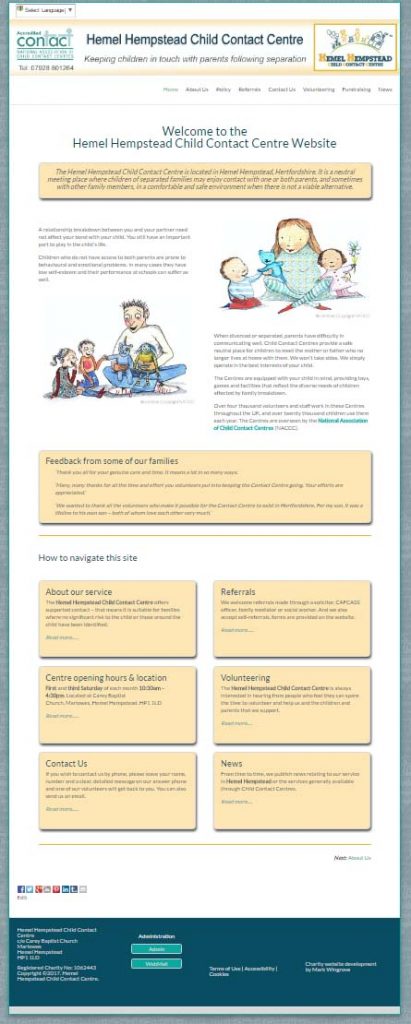
Those of you that have switched to the newer mobile friendly layout for NACCC organisations will be familiar with this. However this one is different.
Shortcodes
In the earlier version of this layout I have used shortcodes to control the layout, they are a bit nerdy, but that is me. I don’t mind using them, but they are not intuitive for people used to more graphical layouts. In this case I have used a layout tool that sits above the editor. This is what the home page looks like in the dashboard view for the page.
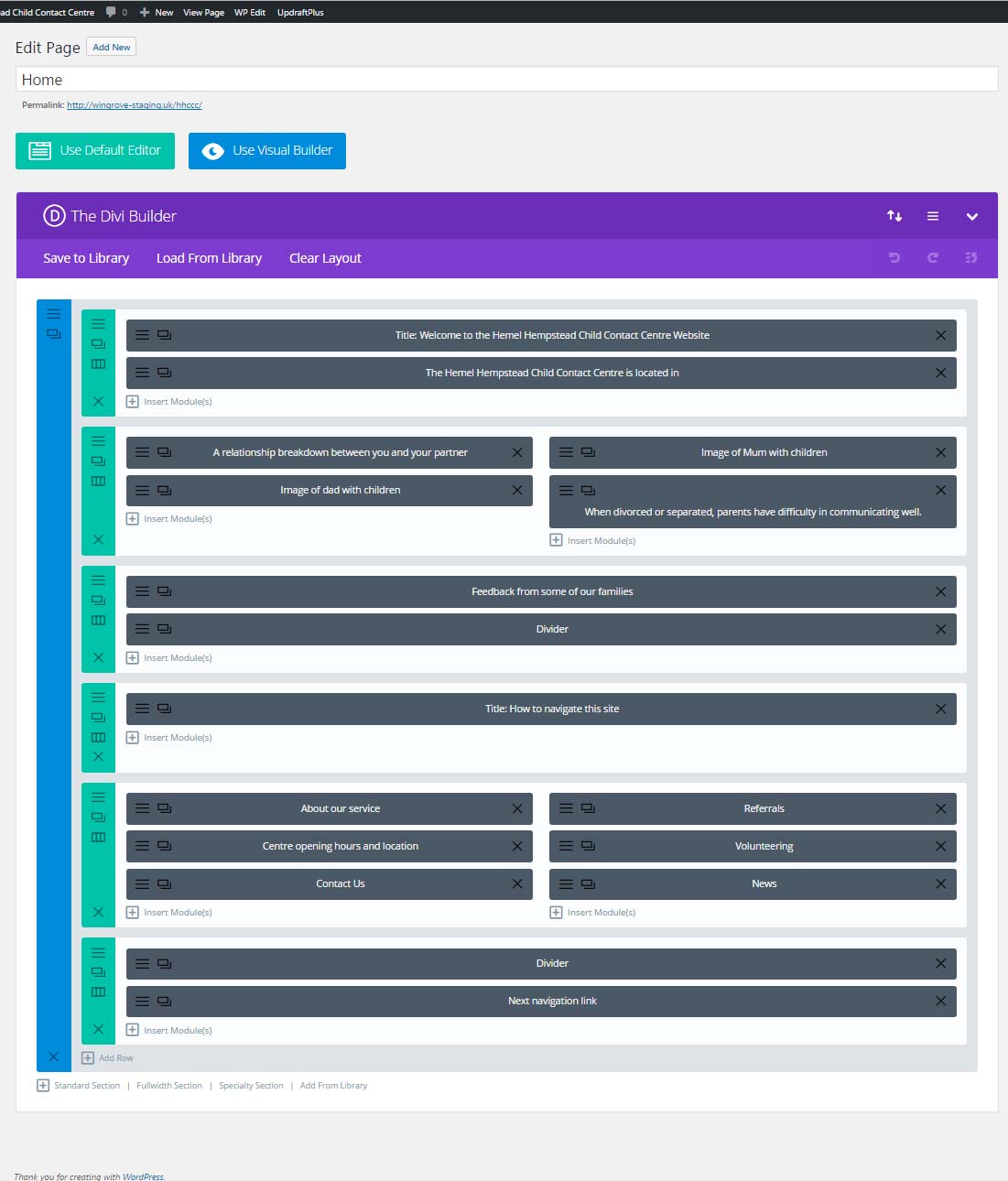
You can click on the image above to get a closer view. The layout is split into rows, and in each row there can be one or more columns. If you compare this view with the view above you can see the relationship.
If you were to click on a grey bar, this will open up to allow you to edit the contents.
Why is this important
For many of you it will not be. For home pages it offers greater flexibility that is intuitive to understand and therefore layout. Most of you have access to a single column. This system allows you to define how many columns, and it also adapts based on the screen size so is very mobile friendly even allowing you to control what content is deliverable to specific devices.
You do not need to apply it everywhere, but if you have a page that has some special significance, or you want it laid out in a particular way, this is the best and easiest way I have found so far. Unlike using the premium Divi Template which includes this flexibility, you don’t have to use it everywhere.
Can I have it on my site?
Short answer, yes you can. I have taken out a premium subscription which includes this functionality. If you are my client and you are hosting with me, I can add this to your site for you. What you would need to do is turn it on, on a page by page basis and create your layout.
Are there any issues using it?
The base template I have used in the above example was a deliberate choice. The template is a free one called Spacious. If offers one of the simplest layouts without a sidebar so you have the whole centre of the page area available to play with. If your site is based on say TwentyFourteen which many of them are. You cannot get rid of one of the sidebars. So you have less space to play in. That said you can still use it.
Interested?
Let me know please and I can get you set up.